
Welcome!
VLTree is a simple program for browsing all the TV shows and movies you have stored right on your own computer. No streaming. No accounts. No nonsense. Just point it at your folders and it builds a neat little tree of everything you own.
It's made for people who already have their media sorted the way they like it and just want to get to watching. VLTree doesn't reorganize your files or make you tag anything. It reads your folders as they are and gets out of your way.
Pick a show, expand the seasons, double-click an episode and it plays instantly in VLC Media Player.
And here's the part that makes VLTree special: the Recently Watched panel. It remembers exactly where you left off and puts a Play Next button right next to every show, so picking up the next episode is a single click. No other program does this as simply; no fuss, no setup, just press play and keep going.
It tracks everything for you automatically. The moment you click an episode it's marked as watched right away, and once every episode in a folder is watched, VLTree automatically marks that whole season or show as watched too. You never have to tick a single box yourself.
No metadata. No cover photos. No server. VLTree doesn't scrape the internet, download artwork, or run a media server in the background. It's just your files in a simple tree, just click and play.
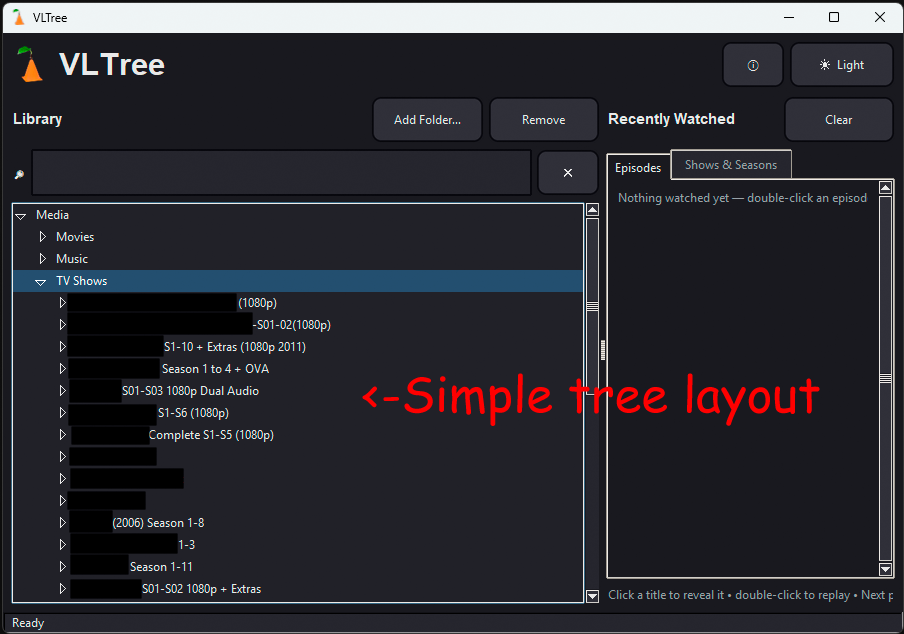
Screenshots
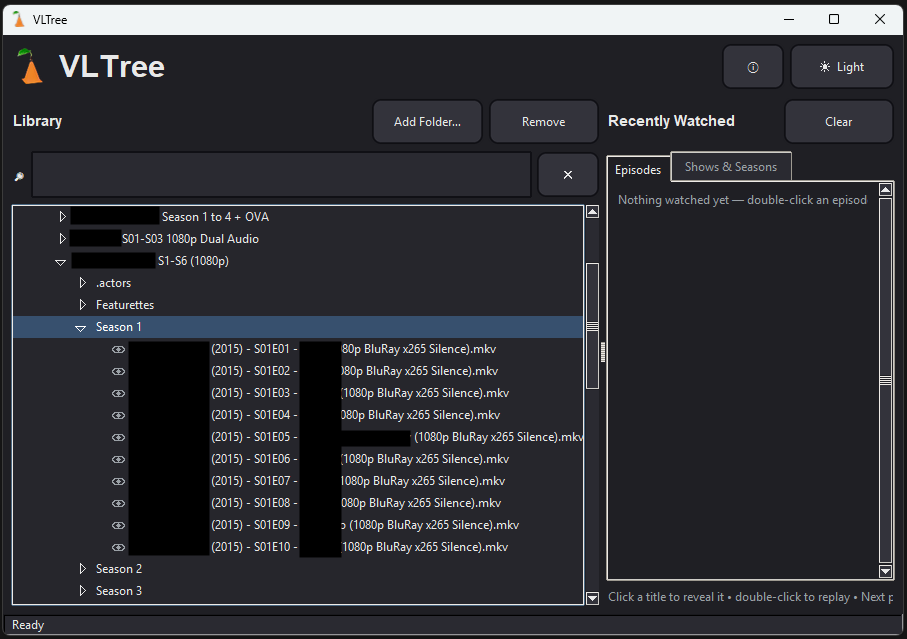 Episode List. Expand a season to see every
episode, ready to play.
|
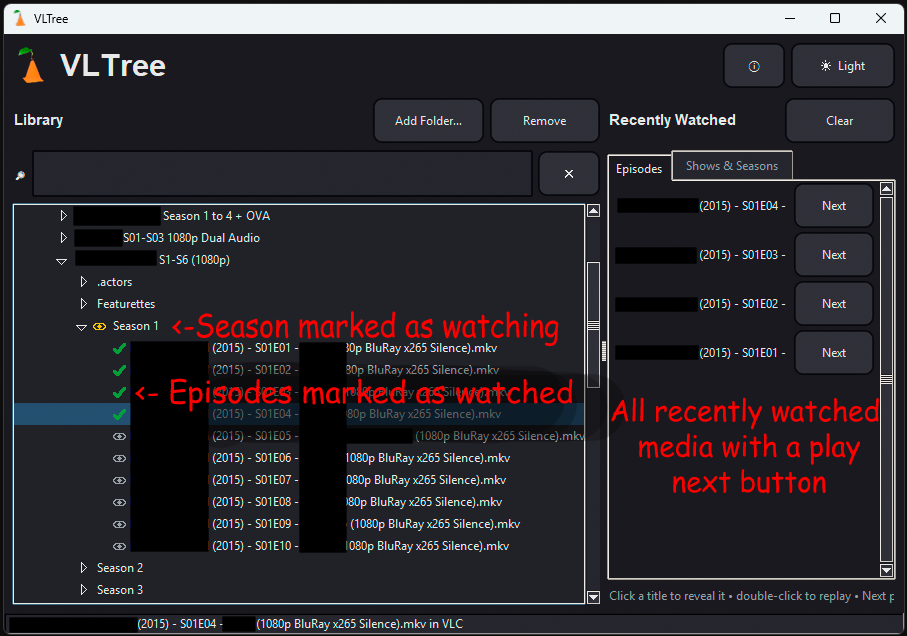 Recently Watched. Everything you've seen, with a
Play Next button.
|
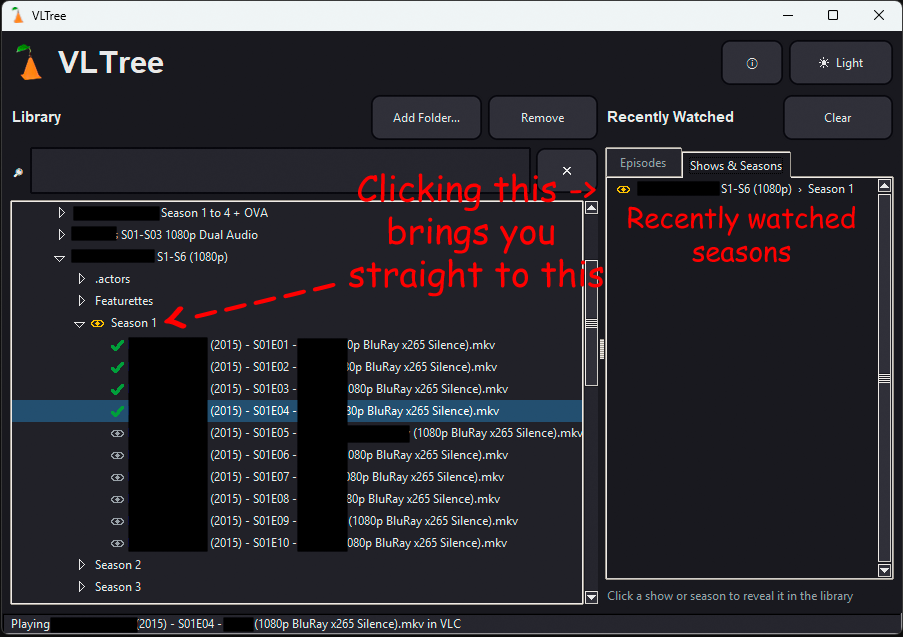 Shows & Seasons. Jump straight back to the
season you were watching.
|
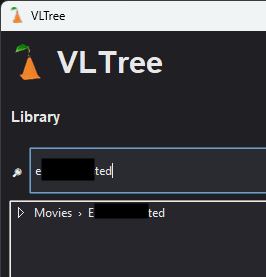 Search. Type a name and VLTree finds it in your
library in a snap.
|
It In Action (Animated!)
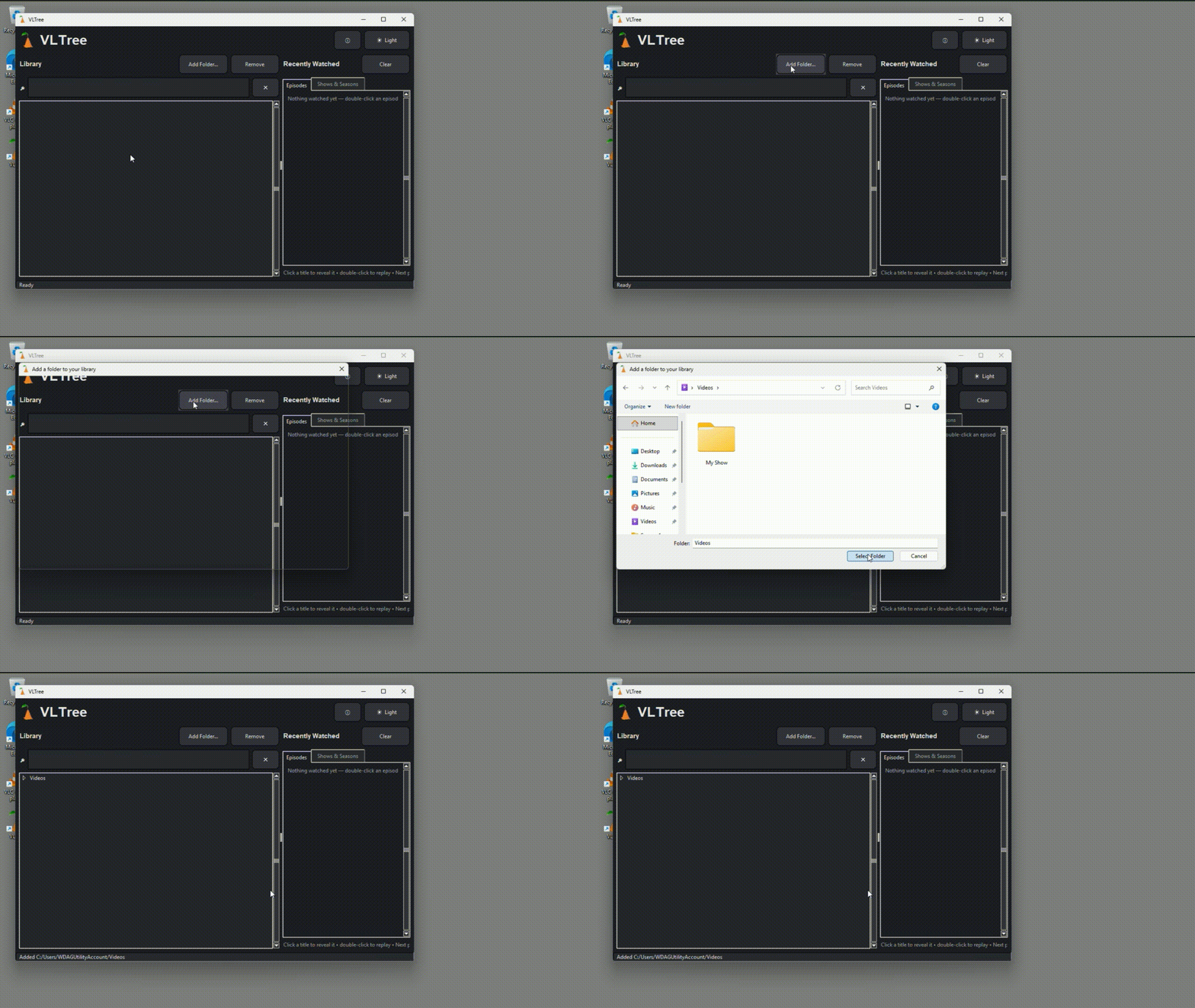 Add a Folder. Point VLTree at any folder and it
loads up your media.
|
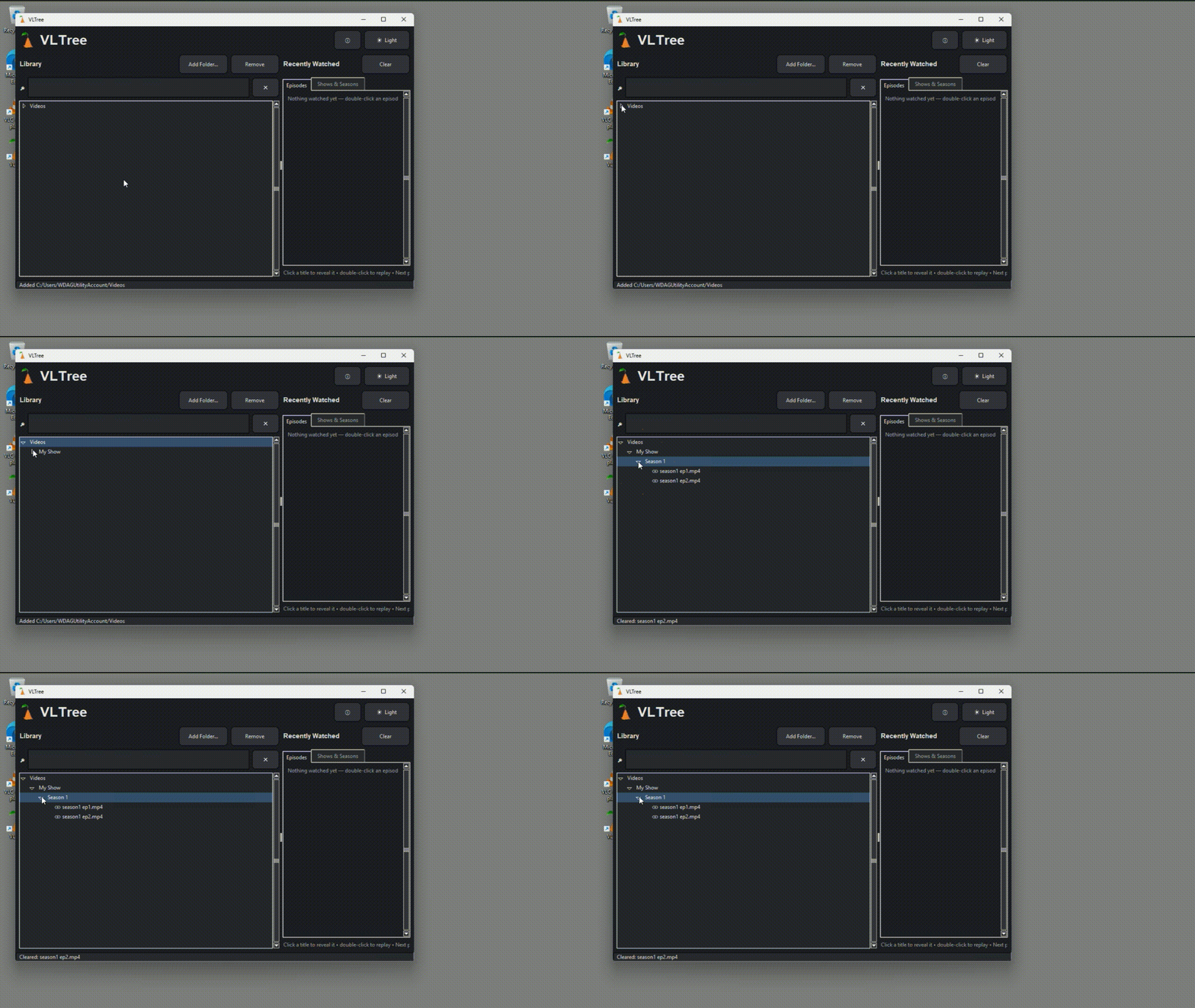 Expand the Tree. Click to open shows, seasons and
episodes.
|
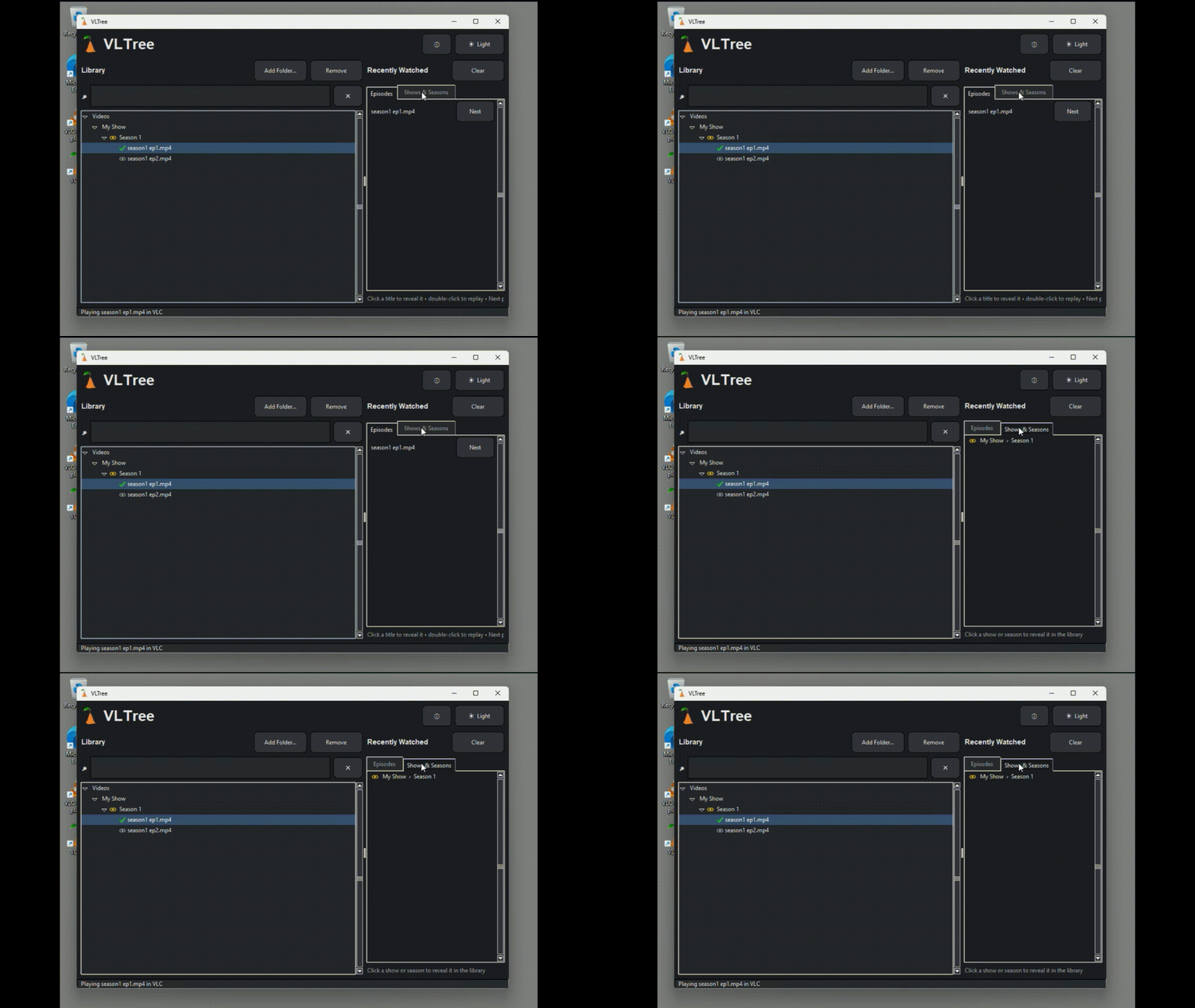 Episodes & Seasons. Mark what you're watching
and what you've finished.
|
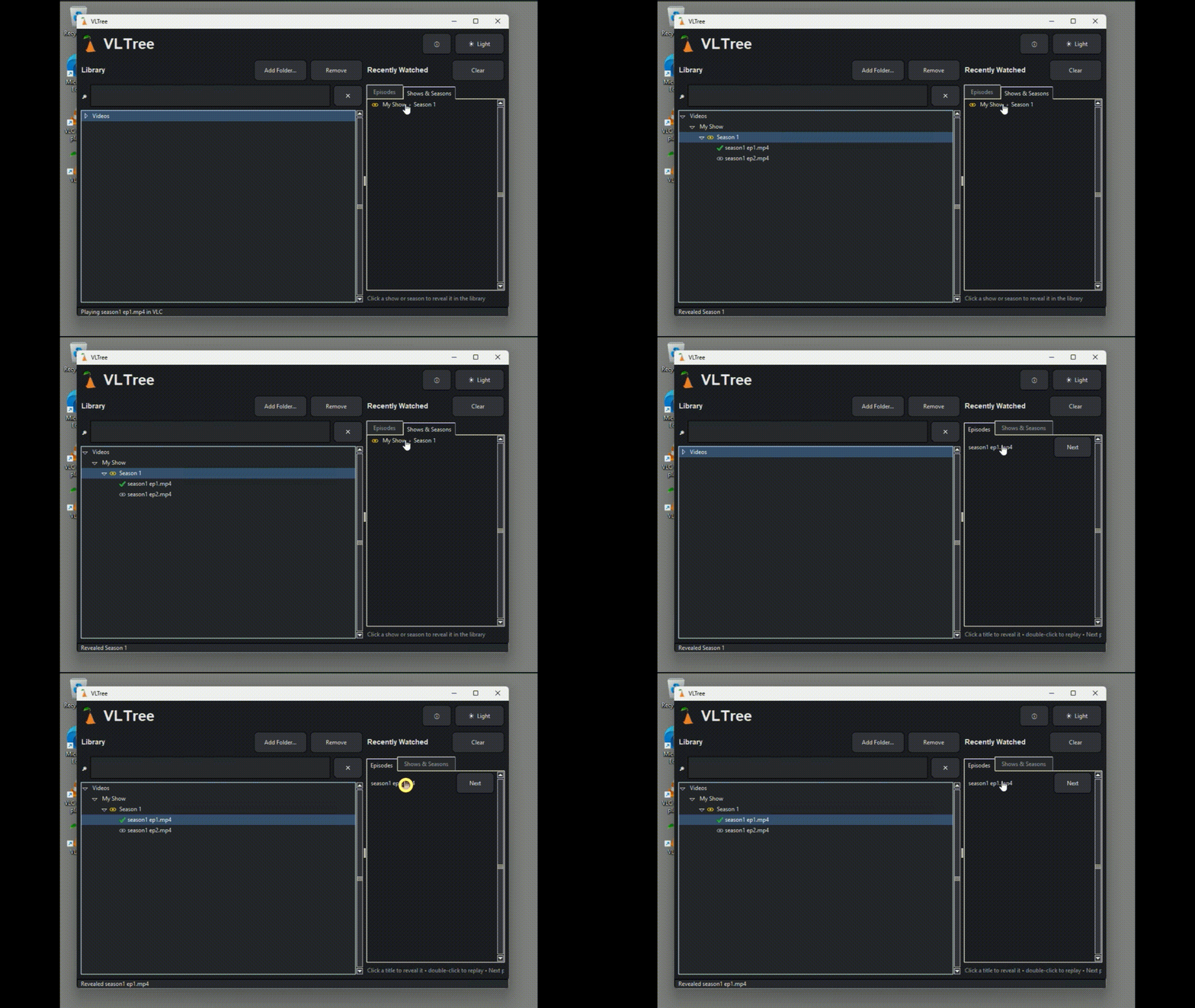 Click to Locate. One click reveals a show or season right
in the library.
|
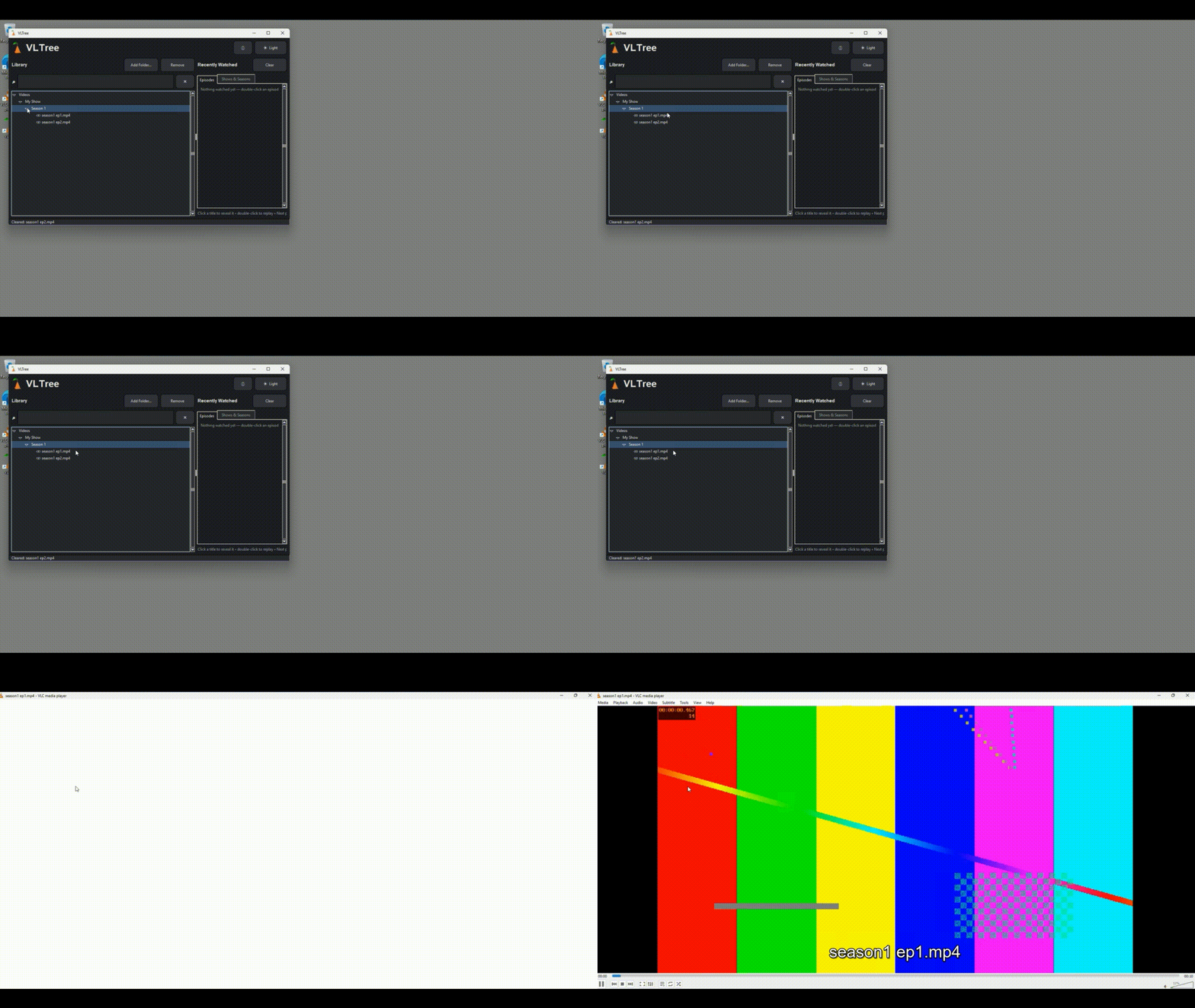 Press Play. Double-click and your file opens
straight in VLC.
|
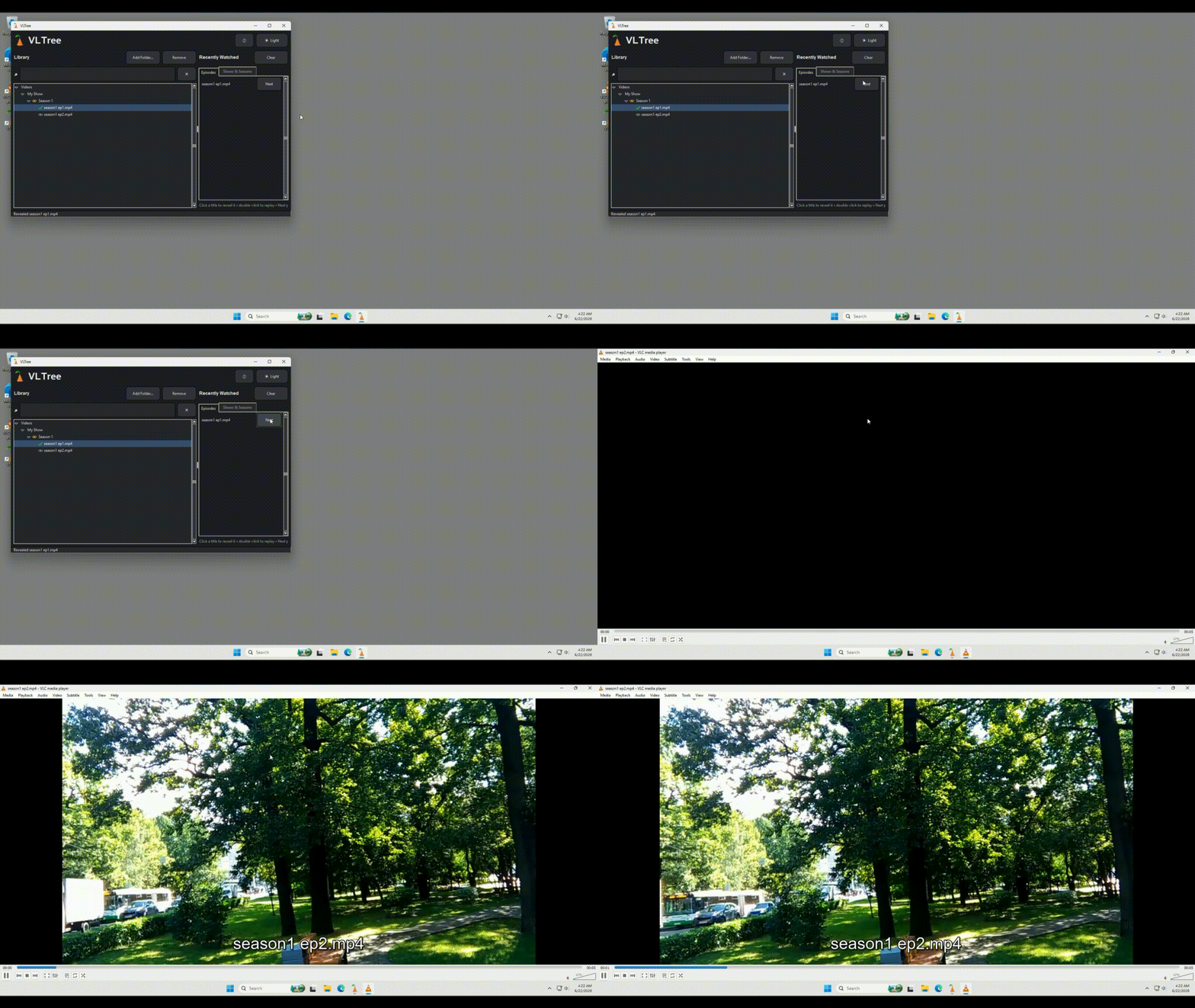 Play Next. Finished an episode? The next one is
one click away.
|
Download VLTree

>>> Click the button to DOWNLOAD! <<<
VLTree version 1.0.0 · Free · For Windows
(Requires VLC Media Player.)
You are visitor number: 0000137